
Browse two web pages side by side on iPad
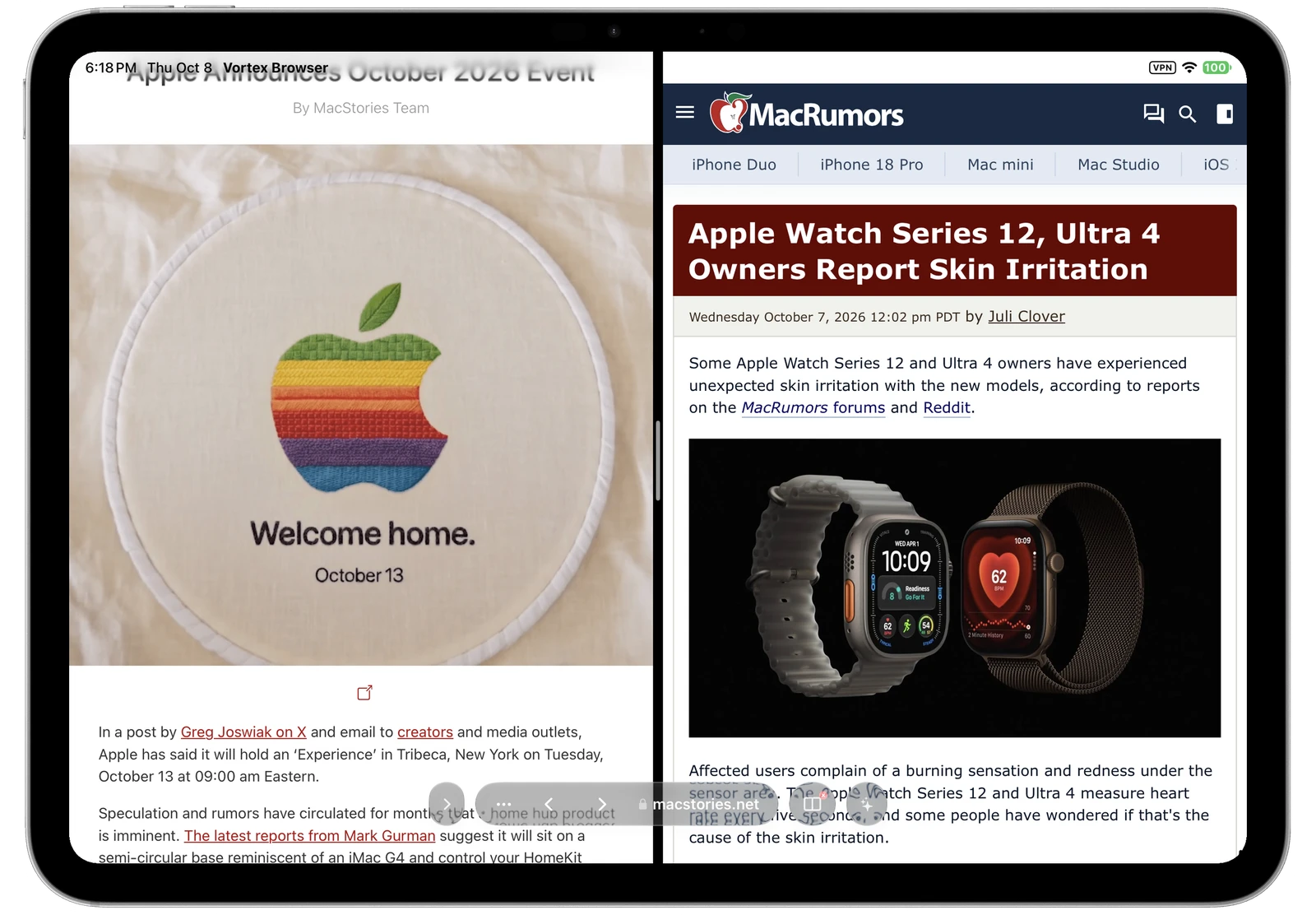
When you are comparing products or reading one source alongside another, switching tabs interrupts the comparison. Vortyra lets you keep two web pages visible in the same browser on iPad.
How to open pages side by side
- Open the pages you want to compare in Vortyra.
- Open the tab sidebar to find the second page.
- Drag its tab into a split view to place it beside the page you are reading.
The tab sidebar keeps page previews within reach, so you can return to your other sources without losing track of the comparison.
Use split view for research and comparisons
Keep an article beside its original source, compare two product descriptions, or read documentation alongside a tutorial. Both pages remain visible as you work.
Two browser pages and iPad multitasking
Vortyra’s internal split view puts two web pages inside one browser. You can also use Vortyra beside another app with the multitasking options available on your iPad. These serve different needs: two web sources in the browser, or a web source alongside your notes.
Keep reading
Use AI to summarize the page you are researching, or explore Vortyra’s content blocking.
Try Vortyra
Currently in testing. Free and open source under the MIT License. Requires iPadOS 26 or iOS 26 or later.