
Summarize web pages on iPad with AI
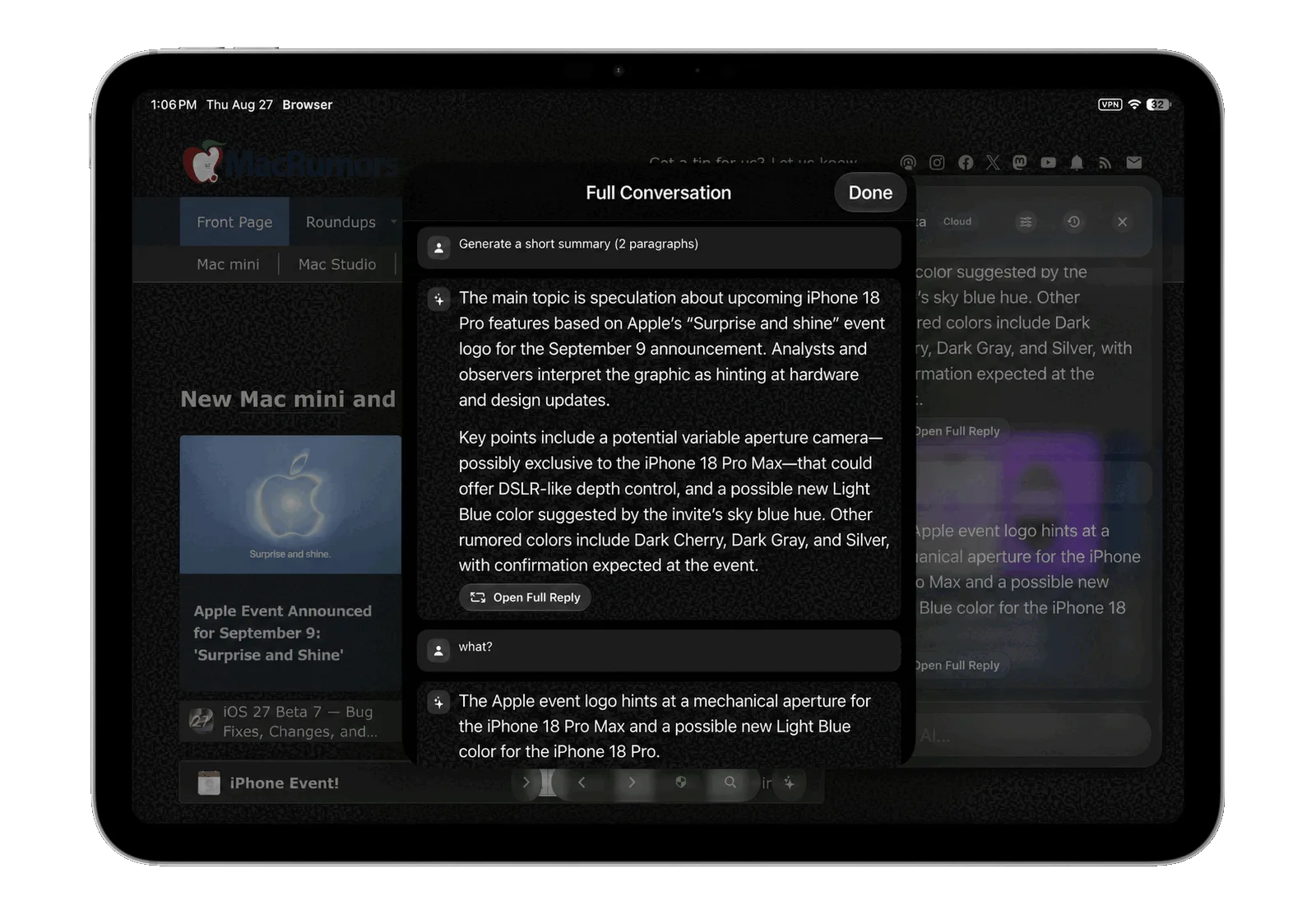
Vortyra puts an AI assistant beside the page you are reading. You can request a summary, ask about the article or select a passage and use Ask Vortyra to explain it.
Get a page summary
- Open an article or web page in Vortyra.
- Choose and configure an available AI provider in Settings.
- Open the assistant and request a summary of the page.
- Ask a follow-up question, or select text on the page to focus on a specific passage.
On iPad, the assistant can sit beside your reading view. The same browser and assistant tools also adapt to iPhone.
Choose local or cloud AI
Vortyra offers Apple Foundation Models and compatible MLX models for on-device use, along with optional cloud routes including Private Cloud Compute and ChatGPT or Gemini web sessions. The available options depend on your device, model compatibility and provider setup; cloud sessions may require you to sign in.
You can also use an optional gateway running on your own Mac. Choose the route that fits your device and the material you are reading.
Use summaries as a starting point
AI summaries can miss context or make mistakes. Check claims against the original page, especially before quoting an author or making a decision. Content sent to a cloud provider is subject to that provider’s privacy practices; see Vortyra’s privacy policy.
Research with the page still in view
Open two web sources side by side to compare an answer with another source, or learn about content blocking.
Try Vortyra
Currently in testing. Free and open source under the MIT License. Requires iPadOS 26 or iOS 26 or later.