
uBlock Origin Lite on iPad and iPhone
Vortyra includes content blocking with uBlock Origin Lite on iPad and iPhone. It gives you filter-list controls inside the browser, alongside reader mode and incognito tabs.
uBlock Origin and uBlock Origin Lite
If you searched for “uBlock Origin on iPad,” the distinction matters: Vortyra’s integration uses uBlock Origin Lite. This page describes that integration; it does not promise all the features of the full desktop uBlock Origin extension.
Where to find the blocking controls
- Open Vortyra’s Settings.
- Find the uBlock Origin Lite content-blocking controls.
- Review the available filter lists and select the ones you want to use.
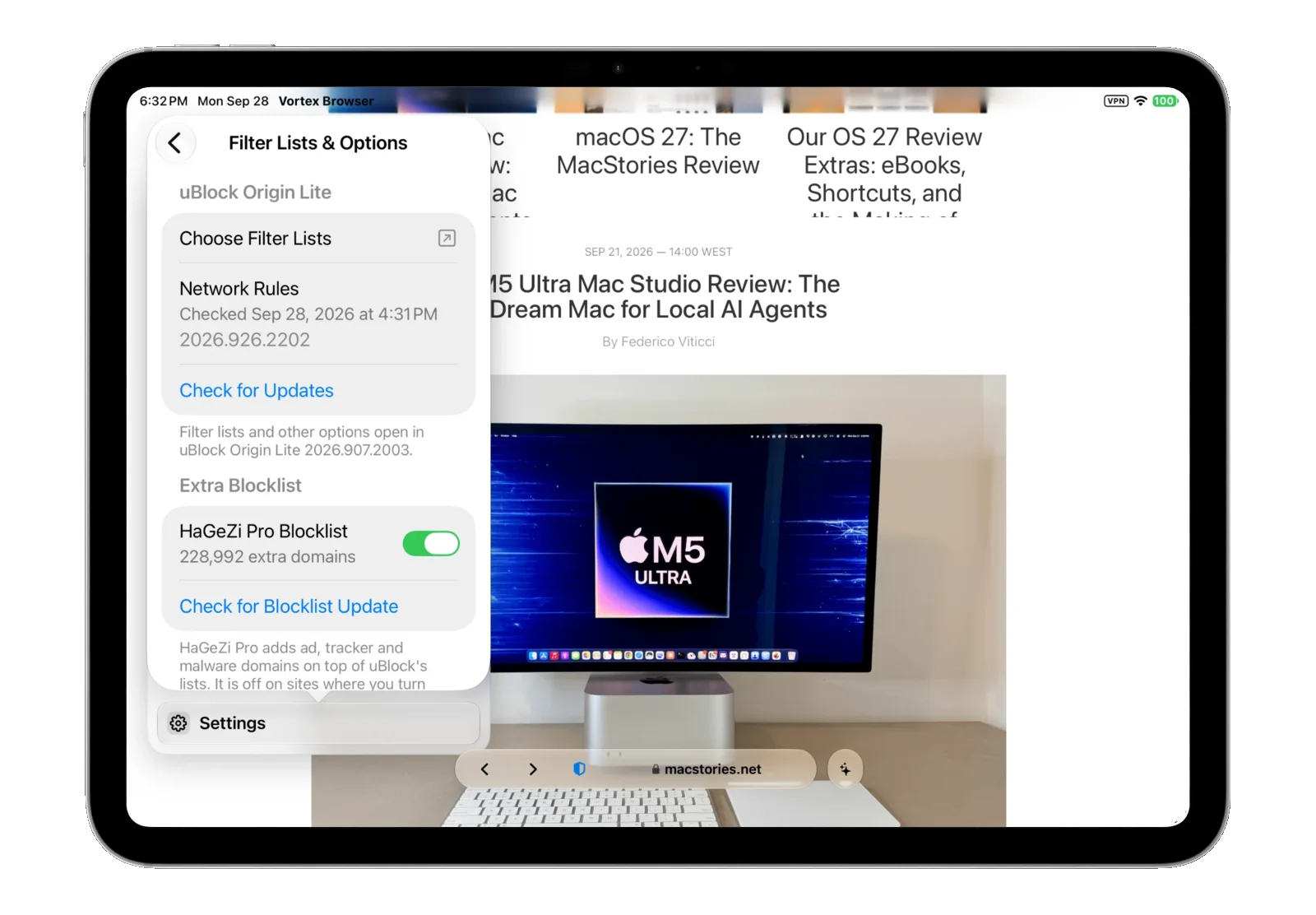
The screenshots show the filter-list screen, including the HaGeZi Pro extra blocklist. The privacy policy also describes downloads from list providers such as EasyList, EasyPrivacy and Fanboy’s Annoyance List.
Content blocking and your privacy
Filtering can reduce unwanted page content, but it does not make browsing anonymous or guarantee that every ad or tracker will be blocked. Websites and filter-list providers can still receive the information needed for network requests. Read the privacy policy for details.
More ways to read
Use reader mode for a simpler article layout, compare pages in split view, or ask the AI assistant for a page summary.
Try Vortyra
Currently in testing. Free and open source under the MIT License. Requires iPadOS 26 or iOS 26 or later.